Learn — By WATMM Desk —
Synth sound design basics: build your own patches from an init sound
A practical route into subtractive synthesis for beginners and intermediate producers: start from an init patch, then learn oscillators, filters, envelopes and LFOs by building a bass, a pad and a pluck yourself. Uses free synths (Surge XT and Vital) so anyone can follow along, with sources read on 25 Oct 2026.
Key facts
- Surge XT is a free and open-source hybrid synthesizer that runs on Windows, macOS and Linux.
- Vital is a spectral warping wavetable synthesizer with a free tier.
- Sound On Sound's Synth Secrets series by Gordon Reid explains synthesis from first principles and is free to read online.
Most producers learn synths by scrolling presets until one sounds close enough. That works until you need a sound that does not exist yet, or a preset that almost fits but sits wrong in the mix and you have no idea which knob is the problem. Sound design is the skill that fixes both. The good news is that the core of it is small: four or five building blocks, used in the same order on almost every synth ever made.
This guide teaches those blocks through subtractive synthesis, the oldest and most transferable approach. Once you can build a bass, a pad and a pluck from scratch, wavetable, FM and granular synths stop being intimidating, because they are mostly different answers to the first step.
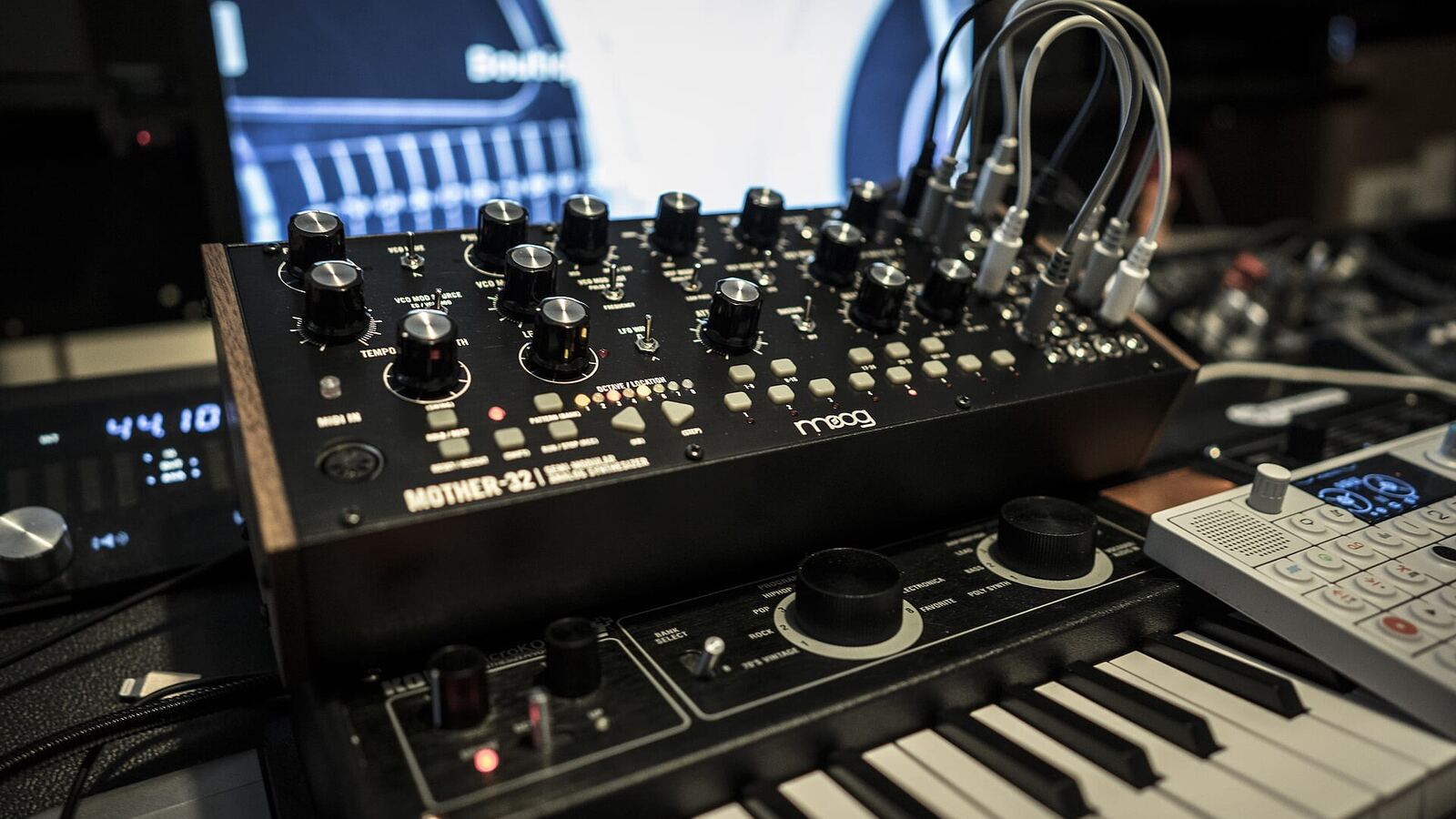
Get a free synth and an init patch
You do not need to buy anything. Surge XT is a free, open-source synth for Windows, macOS and Linux, and Vital is a wavetable synth with a free version. The synth that came with your DAW works too. What matters is that you can find an init patch: the blank default sound, usually one plain saw or sine wave with no effects. Most synths have an "Initialize" or "Init" option in the preset menu.
Always start from init when learning. A preset has dozens of settings you did not choose, so you cannot tell which ones matter. From init, every change you hear is one you made.
The signal path in one line
Nearly every subtractive synth follows this chain:
Oscillator → Filter → Amplifier, shaped over time by envelopes and moved by LFOs.
The oscillator makes the raw tone. The filter removes some of it. The amplifier sets how loud it is. Envelopes and LFOs change those settings while a note plays. Learn this line and you can read almost any synth's front panel.
Oscillators: choose the raw material
Each basic waveform has a character you should learn by ear:
- Sine: one pure frequency, no harmonics. Sub bass and soft tones.
- Triangle: a few quiet harmonics. Gentle, flute-like.
- Square: odd harmonics only. Hollow, woody, reedy. Changing its pulse width makes it thinner and nasal.
- Saw: all harmonics. Bright and buzzy, the default for leads, pads and big basses because it gives the filter the most to work with.
- Noise: every frequency at once. Breath, hats, risers, the click at the start of a pluck.
Play a low C on each and listen. Then try two oscillators together: a saw plus a square an octave down is a classic thick bass. Detune two saws by a few cents and the slow beating between them gives width and movement. Many synths offer unison, which stacks several detuned copies of one oscillator; it sounds huge on its own and muddy in a full mix, so use fewer voices than you think.
Filters: subtract what you do not want
A low-pass filter lets low frequencies through and cuts the highs above its cutoff. Sweep the cutoff down on a saw and you hear it go from bright to dark. That sweep is probably the most-used gesture in electronic music.
Resonance boosts the frequencies right at the cutoff. A little adds bite; a lot gives the squelchy, whistling tone of acid lines. Filter slope, written as 12 dB or 24 dB per octave, sets how steeply the cut falls away: 24 dB sounds more dramatic, 12 dB more open.
High-pass filters do the reverse and are useful for keeping pads out of the bass range. If you already know EQ basics, a synth filter is a resonant EQ curve you can play.
Envelopes: shape the note over time
An envelope has four stages, usually labelled ADSR:
- Attack: how long it takes to reach full level after you press a key.
- Decay: how long it takes to fall to the sustain level.
- Sustain: the level held while the key stays down. Note this is a level, not a time.
- Release: how long it takes to fade after you let go.
Every synth has an amp envelope; most have at least one more you can route to the filter. The filter envelope is where sound design really starts, because it makes the tone change over the course of each note instead of only the volume. Set the filter cutoff low, give the filter envelope a positive amount and a short decay, and every note opens bright then closes. That is the basis of most plucks and many basses.
LFOs: add movement
An LFO (low-frequency oscillator) is a slow wave you never hear directly. It moves another setting up and down. Route it to pitch for vibrato, to amplitude for tremolo, to filter cutoff for a wah or wobble, to pulse width for a chorus-like shimmer. Sync its rate to your project tempo and the movement locks to the groove.
The trick is restraint. A slow, shallow LFO on cutoff or pulse width makes a static pad feel alive; a fast, deep one turns it into a special effect.
Three patches to build
Each starts from init. Values are starting points; adjust by ear.
1. Sub-heavy bass. One saw plus one sine an octave lower. Low-pass at about a third of the way up, resonance low. Amp envelope: attack 0, decay medium, sustain high, release short. Filter envelope amount moderate with a short decay so each note has a little "bwow". Set the synth to mono with glide on a short time so overlapping notes slide.
2. Warm pad. Two saws detuned a few cents, or one saw with 3-4 unison voices. Low-pass fairly closed, a touch of resonance. Amp envelope: slow attack (half a second or more), full sustain, long release. A slow LFO on cutoff. Add chorus and a long reverb; our guide to reverb and delay covers where to set the pre-delay so it stays clear.
3. Pluck. One saw, or a square with some noise mixed in for the transient. Low-pass very closed. Filter envelope: big positive amount, attack 0, short decay, sustain 0. Amp envelope: attack 0, short to medium decay, sustain 0, short release. Add a tempo-synced delay. Change only the filter decay and you will hear the sound move from a tight click to a marimba to a harp.
Once those work, try changing one block at a time: the pad with a square instead of a saw, the bass with a faster filter decay. This is how you build a mental map of what each control does.
Habits that make the difference
- Use velocity and the mod wheel. Map velocity to filter cutoff and the mod wheel to LFO depth so the patch responds to playing. A cheap controller is enough; see our MIDI controller basics.
- Check in mono and in the mix. Wide unison patches can collapse or vanish in mono. A pad that sounds lush solo can bury the vocal.
- Gain-stage the synth. Stacked oscillators and high resonance can clip inside the synth before any plugin sees the signal. Turn the oscillator levels down, not just the master.
- Distortion is a sound design tool. Light drive after the filter thickens a thin patch; see saturation and distortion basics.
Where to go next
Wavetable synths like Vital replace the fixed waveforms with tables you can scan through, so the oscillator itself moves. FM synthesis builds harmonics by modulating one oscillator with another. Both still feed filters, envelopes and LFOs. For the physics behind all of this, Gordon Reid's Synth Secrets series for Sound On Sound remains one of the clearest free explanations of synthesis from first principles.
What we think
The preset economy has trained a generation of producers to treat synths as libraries, and that is the wrong mental model. A preset designer built that sound for a demo with nothing else playing. Your track has a vocal, a kick and a mix bus, and the sound has to fit there, not in a demo. So the real value of learning sound design is not making exotic sounds. It is being able to open any preset, recognise which envelope or filter setting is fighting your arrangement, and fix it in ten seconds.
Our advice is unfashionable: pick one free synth and stay with it for a few months. Learning a single instrument deeply beats sampling ten. And the skills transfer in a way AI sound generators do not yet offer: when a generated part sounds almost right, the person who knows what a filter envelope does can make it right. That gap between "almost" and "right" is where an artist's sound lives.
Sources
- Surge XT, Surge Synth Team (primary source). Accessed 25 Oct 2026.
- Vital, Vital Audio (primary source). Accessed 25 Oct 2026.
- Synth Secrets, Sound On Sound. Accessed 25 Oct 2026.
Researched with AI assistance, written and checked by WATMM Desk.