Learn — By WATMM Desk —
MIDI controller basics: keybeds, pads, MPE and where MIDI 2.0 actually stands
A MIDI controller makes no sound; it sends instructions. Here is how to think about keybeds and pads, what MPE adds and how it works over ordinary MIDI, and an honest status check on MIDI 2.0 after Windows finally shipped support in 2026.
Key facts
- MPE was ratified by the MIDI Manufacturers Association on 28 Jan 2018 and works inside MIDI 1.0 by giving each note its own MIDI channel.
- Foundational MIDI 2.0 specifications were released in February 2020; MIDI 2.0 builds on MIDI 1.0 rather than replacing it, and translation between the two is a design priority.
- MIDI 2.0 velocity is 16-bit, and controllers, pressure and pitch bend support values up to 32 bits.
- Microsoft said Windows MIDI Services, with MIDI 2.0 support, would roll out to retail Windows 11 through February 2026.
A MIDI controller is a box of buttons, keys and knobs that makes no sound of its own. It sends messages, such as "this note, this hard, now let go", and an instrument in your DAW or a hardware synth turns those messages into audio. That one idea explains most buying decisions: you are not choosing a sound, you are choosing how your hands talk to sounds.
This guide covers the three questions most people actually have: what kind of playing surface to get, whether MPE is worth caring about, and whether to wait for MIDI 2.0. Facts are as we read the MIDI Association's own pages on 24 Oct 2026. If you are still setting up the rest of the desk, our guide to choosing an audio interface is the other half of the signal chain.
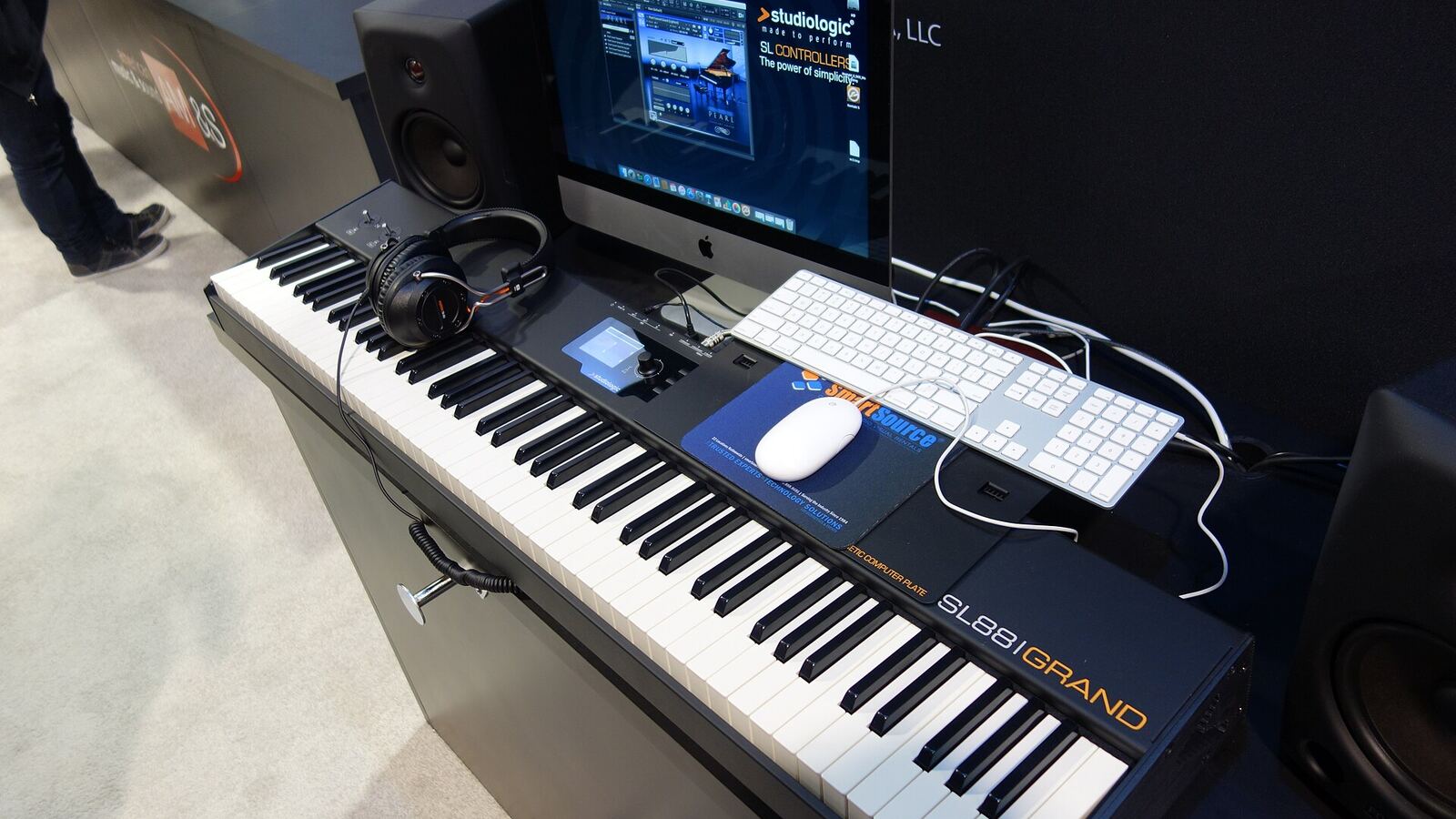
Keybeds: what you are really choosing
A keybed is the row of keys and the mechanism under it. There is no standard that defines the categories, so read the marketing terms as rough labels rather than specs. In practice you are deciding three things.
- Size. The number of keys sets how much of the range you reach without shifting octaves. Small boards fit next to a laptop and suit bass lines, chords and drum programming. If you play two-handed piano parts, a short board means constant octave-button presses, which breaks the flow more than people expect.
- Feel. Lighter, springier keys are quick for synth lines; heavier, weighted keys feel closer to a piano and give you more control over dynamics if your hands learned on one. Neither is better. Buy the one that matches how you already play, or how you want to learn.
- What the keys sense. Every keyboard sends which note and how hard you struck it (velocity). Some also sense pressure after the note is down, called aftertouch. Ordinary "channel" aftertouch sends one pressure value for the whole keyboard; "polyphonic" aftertouch sends one per key. That difference matters later, because it is the beginning of per-note expression.
The test that beats any spec sheet: play something you know, quietly and then loudly, and listen for whether the soft notes come out soft. A keybed whose velocity response does not suit your touch is the most common reason a controller ends up under the bed. Most controllers and many DAWs let you adjust the velocity curve, so try that before you give up on one.
Pads: for fingers, not hands
Pads are velocity-sensitive rubber or plastic squares, usually in a grid. They suit drums, triggering samples and clips, and finger-drumming styles where each pad is one sound. Many grids can also be set to play scales, so a pad controller can double as a compact melodic instrument without a keyboard's left-to-right layout.
What to check is less about count and more about consistency: does a light tap register, do neighbouring pads trigger by accident, and does every pad respond the same way at the same force. Like keys, many pads also send pressure, which is useful for rolls and swells.
Knobs, faders and transport buttons round out most controllers. They send control messages your DAW can map to anything. Endless encoders (knobs that keep turning) avoid the jump you get when a fixed knob's position doesn't match the parameter it controls; fixed knobs give you a physical position you can feel. Both are fine; know which one you are buying.
MPE: per-note expression on ordinary MIDI
Here is the limitation MPE solves. In classic MIDI, messages like pitch bend apply to a whole channel. Bend the pitch while holding a chord and every note bends together. Fine for a lead line, useless if you want one finger to slide while the others stay put.
MIDI Polyphonic Expression (MPE) was ratified by the MIDI Manufacturers Association on 28 Jan 2018. The MIDI Association describes it as "a method of using MIDI which enables multidimensional controllers to control multiple parameters of every note within MPE-compatible software." It works inside the existing MIDI 1.0 framework, so it needed no new cables or protocol. The trick:
- Each note gets its own MIDI channel. In the specification's words, "each note is assigned its own MIDI Channel so that those messages can be applied to each note individually." Pitch bend on channel 3 now moves only the note on channel 3.
- Channels are grouped into Zones. Each Zone has an extra Master Channel for data that should affect everything, such as program changes, pedals and an overall pitch bend.
- Run out of channels and notes share. If a Zone has more active notes than channels, some notes share one; they still sound but lose their individual control.
The dimensions the MIDI Association lists are movement "left and right, forward and back, downward pressure, and more." On an MPE surface that typically means sliding a finger for vibrato or glides, moving it up and down the key for a timbre change, and pressing for volume or brightness, all per note. The specification also notes that not every device supports every feature, so a controller labelled MPE may not send all of them.
The catch is the other end. MPE only does something if the instrument receiving it is MPE-aware and the patch is set up to use those messages. Plug an MPE controller into a synth that isn't, and you mostly get a normal keyboard with odd pitch behaviour. Before buying, check that the synths you actually use list MPE support, and that your DAW records and edits it in a way you can live with.
MIDI 2.0: where it really stands in late 2026
MIDI 2.0 is the bigger change, and it has been "coming" for a long time. According to the MIDI Association, foundational MIDI 2.0 specifications were released in February 2020, and updated specifications were adopted by the MIDI Association and Japan's AMEI on 29 May 2023.
What it adds, in plain terms:
- More resolution. MIDI 2.0 velocity is 16-bit, and standard controllers, pressure and pitch bend support values up to 32 bits. Smoother filter sweeps and finer dynamics, without the stepping you can sometimes hear on a slowly turned knob.
- Per-note control built in. The spec includes controllers "for individual notes", plus a Per-Note Pitch Sensitivity message added in the 2023 update. Some of what MPE does with channel tricks becomes native.
- A new packet format. The Universal MIDI Packet (UMP) "provides a standardized modern packet format for all MIDI messages," carrying both MIDI 1.0 and MIDI 2.0 messages, with an optional Group field for more connections over one link.
- Devices that talk back. MIDI Capability Inquiry (MIDI-CI) lets two devices negotiate what they support. Its Property Exchange part is "a method for getting and setting various data, called Resources, between two Devices", which is how a controller could one day read your synth's patch names instead of you typing them in.
Crucially, the MIDI 2.0 overview says it "does not replace MIDI 1.0 but builds on" it, and that "Compatibility for translation to/from the MIDI 1.0 Protocol is given high priority." Your existing gear does not become obsolete.
The practical blocker has been operating systems. Microsoft announced at NAMM 2026 that Windows MIDI Services, with MIDI 2.0 support, would roll out to retail Windows "throughout the month of February, 2026", with an in-box service, a new MIDI 2.0 kernel driver and compatibility for the older MIDI 1.0 APIs, per the MIDI Association. Part of it, an SDK runtime and tools package, is a separate download. heise reported that Microsoft was enabling the features gradually and that official support is limited to Windows 11 24H2 and 25H2.
So the plumbing is arriving. What still decides whether MIDI 2.0 helps you is whether your controller, your DAW and your instruments each support it, and which parts of it. Check all three before paying extra for a "MIDI 2.0" badge.
A short buying checklist
- Decide what you play most: chords and melodies (keys), beats and clips (pads), or both.
- Pick a size you will not outgrow in a month, and a key feel that matches your hands.
- Try the velocity response, and check that the curve can be adjusted.
- If expressive leads and textures are your thing, look at MPE, but confirm your synths support it first.
- Treat MIDI 2.0 as a bonus for now, not a reason to buy or to wait.
What we think
The industry likes to sell controllers on specs: more pads, more resolution, more bits. Our view is that the best controller is the one that lets you stop thinking about it. A well-matched keybed that you trust at low velocities will do more for your music than any protocol upgrade, because it changes how you play every single note.
MPE is the one genuinely musical leap here. It is not about precision; it gives electronic instruments something acoustic players always had, the ability to shape a note after it starts. It is worth trying even if you never buy into it, because it changes how you write. But it rewards practice, and nobody should feel behind for playing a plain keyboard well.
On MIDI 2.0 we are cautiously glad. A standard that refuses to break old gear is the right call for artists, who should not have to rebuy a studio every decade. Six years from specs to a mainstream operating system is slow, though, and "MIDI 2.0 ready" on a box today often promises more than it delivers. Buy for what works with your setup now. If you want to see what software can do with the MIDI you play, our guide to MIDI generators inside your DAW and the explainer on text-to-MIDI versus text-to-audio are good next reads, and both keep your hands on the notes.
Sources
- MIDI Polyphonic Expression (MPE) Specification Adopted, The MIDI Association (primary source). Accessed 24 Oct 2026.
- MIDI 2.0, The MIDI Association (primary source). Accessed 24 Oct 2026.
- Details about MIDI 2.0, MIDI-CI, Profiles and Property Exchange (updated June 2023), The MIDI Association (primary source). Accessed 24 Oct 2026.
- MIDI 2.0 coming to Windows 11, The MIDI Association (primary source). Accessed 24 Oct 2026.
- Windows: MIDI 2.0 has arrived, heise online. Accessed 24 Oct 2026.
Researched with AI assistance, written and checked by WATMM Desk.