Learn — By WATMM Desk —
How to choose an audio interface: the specs that matter (preamps, I/O, latency, drivers)
Most interface spec sheets bury four questions under a wall of numbers: are the mic preamps quiet and strong enough for your mics, do you have the inputs and outputs you will actually use, how low can the latency go, and how good is the driver. Here is how to read each one, and which numbers you can safely ignore.
Key facts
- Preamp noise: EIN (equivalent input noise) is usually measured at about 60 dB of gain with a 150-ohm source, and real preamps land roughly between -120 and -129 dBu, according to Sound On Sound.
- Weighting matters: Focusrite notes that A-weighted figures are typically 3 to 5 dB better than unweighted ones, so only compare numbers measured the same way.
- Drivers: Windows has shipped a built-in USB Audio 2.0 class driver since Windows 10 release 1703, but Microsoft says a manufacturer driver, where one exists, is installed and overrides it.
An audio interface does three jobs: it turns your microphones and instruments into digital audio, turns your mix back into sound for your monitors and headphones, and moves that audio between the hardware and your computer as quickly as the driver allows. Pick one by working out what you will plug in, then checking preamp gain and noise, the inputs and outputs you need, and the quality of the driver on your operating system, in that order.
This guide is about reading spec sheets, not a ranked list. We have not bench-tested interfaces for it, so we name no winners. Everything below is as we read the sources on 24 Oct 2026.
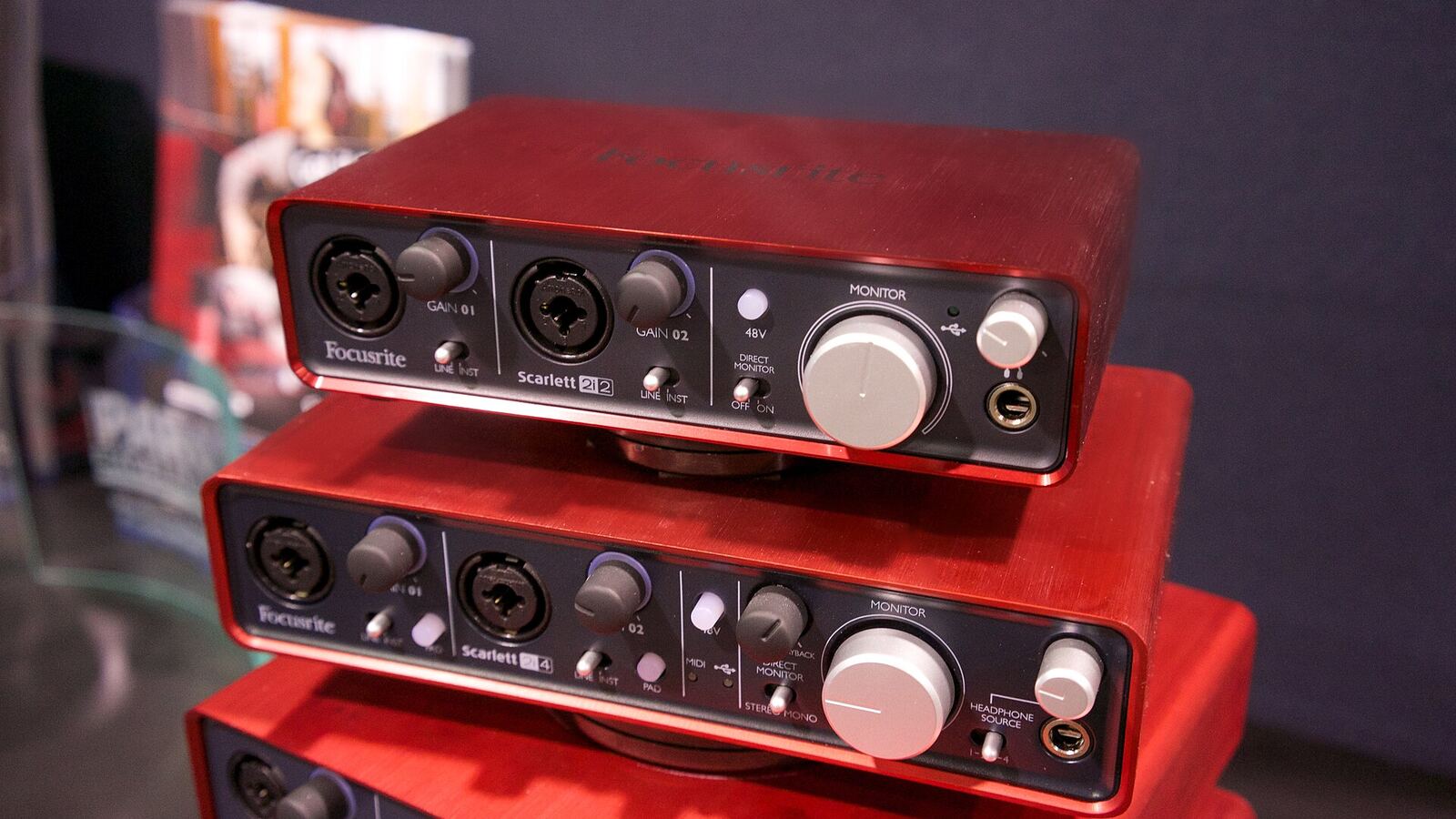
Start with what you will plug in
Before any spec, write down the session you record most often. A singer-songwriter with one condenser mic and a guitar needs two good inputs. A drummer needs eight. A producer who records almost nothing and mostly works in the box needs clean outputs and a good headphone amp more than any preamp.
Then add one more input than you think you need, and check the outputs too: monitors, a second pair of speakers or headphones for a guest, and any outboard gear or synths you want to send audio to.
Preamps: gain and noise
The mic preamp lifts a microphone's tiny signal up to a level the converter can use. Two specs tell you most of what you need.
Gain range is how much the preamp can amplify. Focusrite's spec guide says most interfaces offer "somewhere between 55 and 65 dB", which it calls enough for nearly all needs. Sound On Sound's Hugh Robjohns, in a 2020 answer on mic preamps, says most makers list a practical maximum of about 60 dB, with some offering only 40 dB and others over 80 dB. If you plan to use a quiet dynamic or ribbon mic on a soft source, gain is the spec to check first, because running out of it means turning up a noisy signal later.
Range is not the whole story. Focusrite points out that two interfaces with the same total range can still suit different jobs, depending on where that range sits. A switchable pad, typically 15 or 20 dB, extends the range downward for loud sources such as kick drums or guitar amps.
EIN (equivalent input noise) is the preamp's own hiss, expressed as a negative dBu number: more negative is quieter. Robjohns explains the usual method: the input is terminated with 150 ohms and output noise is measured, "usually at a gain of 60dB", then the gain is subtracted. He puts real-world preamps between about -120 and -129 dBu and treats -125 dBu as the minimum for professional results. Focusrite calls -124 dBu a good unweighted figure and -128 dBu a good A-weighted one.
The fine print that makes numbers comparable
- Weighting. According to Focusrite, A-weighted figures are typically 3 to 5 dB better than unweighted ones for the same hardware. A -128 dBu A-weighted figure and a -124 dBu unweighted one can describe the same preamp.
- Source impedance. Focusrite notes that a 150-ohm source is the convention, and that a lower test impedance can make EIN look several dB better.
- Missing conditions. If a spec sheet gives no test conditions, Focusrite's advice is blunt: "it is simply not possible to compare EIN specifications and they should be ignored."
Inputs, outputs and headroom
Count I/O by type, not by the total on the box.
- Mic/line combo inputs take XLR mics and line-level gear.
- Instrument (Hi-Z) inputs let you plug a guitar or bass straight in.
- Line outputs feed monitors and outboard gear. Focusrite warns that if an interface's maximum output is low compared with what your outboard expects, you may not be able to drive that gear hard enough.
- Headphone outputs. Two independent headphone mixes matter as soon as you record anyone other than yourself.
- Digital expansion (often ADAT optical) lets some interfaces add more inputs later through a second unit. Check the manual for how many extra channels you get at the sample rate you plan to use.
Maximum input level, in dBu, is the loudest signal an input accepts before it distorts. Higher is more headroom. Dynamic range describes the window between the noise floor and the top: Focusrite says "The wider the system's dynamic range, the taller the window", and adds that these figures are usually A-weighted, so unweighted measurements will be several dB worse. As with EIN, compare like with like.
Sample rate and bit depth sit on every box too, and they matter less to the choice than the points above. Our sample rate and bit depth explainer covers what to record at.
Latency: what the buffer does
Latency is the delay between a sound entering the system and you hearing it back. Microsoft's low-latency audio documentation defines round-trip latency as the delay from capture, through the application, to playback, and says it is "roughly equal to render latency + capture latency".
The biggest lever you control is the buffer size in your DAW. Smaller buffers mean less delay but more work for the computer. Microsoft's own example: a 128-sample buffer at 48 kHz is about 2.66 ms, and 480 samples is 10 ms. Its FAQ also notes the trade-off plainly: smaller buffers wake the CPU more often, which raises power use. In practice that means a small buffer for tracking, then a larger one for mixing when you are running many plug-ins.
Two practical points follow:
- The number on the box is not the whole round trip. A buffer figure covers one leg; converters, the driver and any plug-ins add more. Measure your own system with a loopback test if latency matters to you.
- Direct monitoring sidesteps the problem. Many interfaces let you hear the input straight from the hardware, mixed with playback, so the performer hears no delay at all. If you record vocals, look for a mixer or a blend control that makes this easy.
Drivers: the spec nobody prints
The driver is the software that moves audio between the interface and your computer, and it decides how low you can set the buffer without clicks and dropouts.
On a Mac, many interfaces are class compliant: they use the drivers built into macOS. Focusrite, for example, says its Scarlett and Clarett+ ranges are class compliant and that "There are no additional drivers to install".
On Windows, it is more mixed. Microsoft says that, starting with Windows 10 release 1703, a USB Audio 2.0 class driver ships with Windows, so a compliant interface works when you plug it in. The same page says that if a manufacturer driver exists on the system or on Windows Update, it is installed and overrides the class driver. Microsoft also notes a stack limit: more than eight channels are not supported in shared mode.
Most music software on Windows talks to interfaces through ASIO, a separate driver model. Microsoft describes ASIO as "another popular alternative for applications that need low latency": once a third-party ASIO driver is installed, applications can send data straight to it. That is why the quality of a maker's own ASIO driver often matters more than any converter spec. Before buying, check that the manufacturer publishes a current driver for your exact OS version and has a history of updating it.
A quick checklist
- Enough inputs of the right type, plus one spare.
- At least about 60 dB of usable gain if you use dynamic or ribbon mics.
- EIN quoted with its gain, impedance and weighting.
- Outputs and headphone mixes for everyone in the room.
- Direct monitoring you can actually adjust.
- A current, maintained driver for your OS.
If the vocal booth is a bedroom, the room will shape your recordings more than any of the specs above; our guides to recording vocals at home and budget acoustic treatment pick up from here.
What we think
Spec sheets reward the wrong instincts. A couple of dB of EIN is a real difference on paper, but Focusrite itself says small spec differences are rarely audible in real recordings, and the sources we read agree that test conditions can move these numbers by several dB. Chasing them is how artists end up paying more for a box that sounds the same in their room.
What changes your music is whether the thing gets out of your way. Enough clean gain for the mic you already own, a headphone mix the singer is happy with, and a driver that lets you track at a small buffer without crackles do more for a performance than any converter upgrade. Of those, drivers get the least attention and cause the most frustration, because a company can drop support for an OS long before the hardware wears out.
So our advice is to buy for the next three years of sessions, not for the spec sheet. Read the manufacturer's driver page before the product page, and treat a long, boring update history as a feature. A slightly less impressive interface that a company keeps working on your computer is the better instrument.
FAQ
Do I need an audio interface if I only make music in the box? You need some way to hear your work accurately. A built-in output can be enough to start; an interface adds clean line outputs, a better headphone amp and, often, lower latency.
What does class compliant mean? It means the interface uses the drivers built into the operating system, so it works without installing anything, as Focusrite describes for its ranges on Mac and Microsoft for USB Audio 2.0 devices on Windows.
Is a lower EIN always better? Yes, if the figures were measured the same way. Check the gain, source impedance and weighting before comparing two numbers.
What buffer size should I use? As small as your computer handles without clicks while tracking, then larger while mixing. Use direct monitoring if you still hear a delay.
Sources
- Low Latency Audio, Microsoft Learn (primary source). Accessed 24 Oct 2026.
- USB Audio 2.0 Drivers, Microsoft Learn (primary source). Accessed 24 Oct 2026.
- What's the best interface for Mac?, Focusrite (primary source). Accessed 24 Oct 2026.
- System Science - Part 5: Sound Quality & Specs, Focusrite (primary source). Accessed 24 Oct 2026.
- Q. What makes a good mic preamp?, Sound On Sound. Accessed 24 Oct 2026.
Researched with AI assistance, written and checked by WATMM Desk.